

Open Source
Realistic Cinema Script - Business Management
- Type
- Open Source
- Frameworks
- Delivery
- Cfx.re portal
€25.00
Add to basketLinks
Features
Information
Requirements
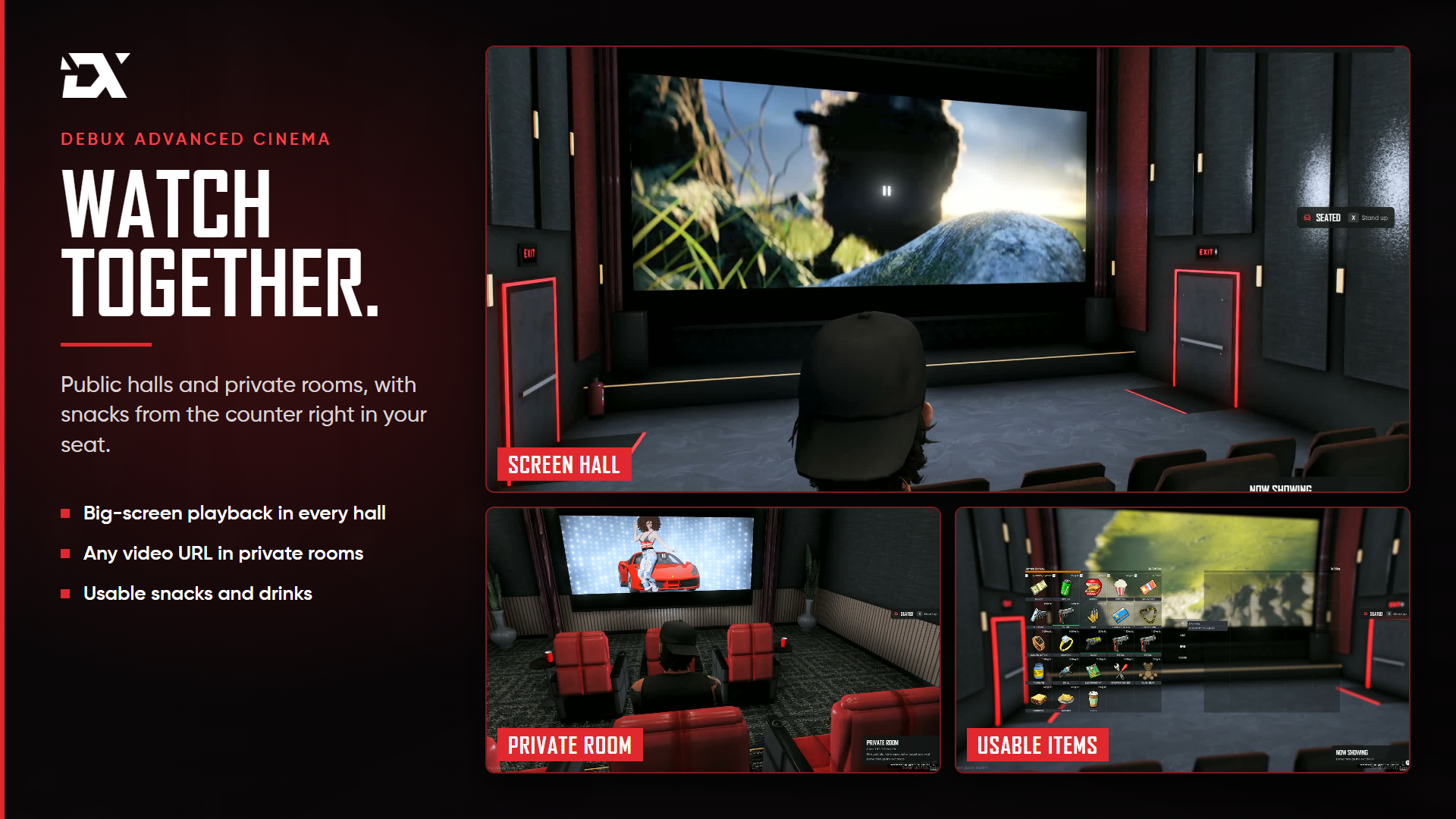
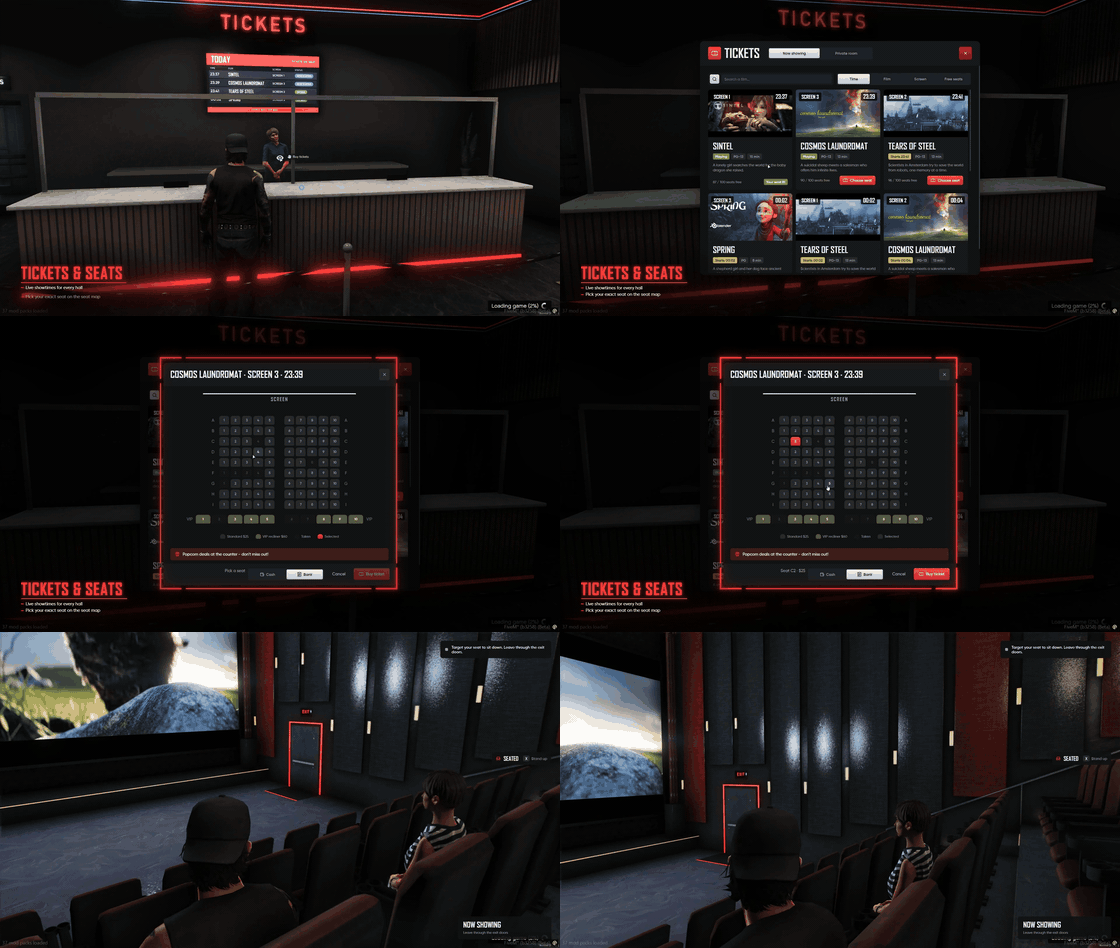
Some nights, your players want more than just another place to visit. DEBUX Advanced Cinema brings a complete, realistic cinema experience to your FiveM server. Players can browse movie showtimes, buy tickets, choose their seats and enjoy films together on the big screen. Friends can even book a private screening room, pick their own movie and watch together. Behind the scenes, the cinema owner controls everything from a fully featured management office, from movie schedules and ticket prices to machines, staff and business earnings.
Features
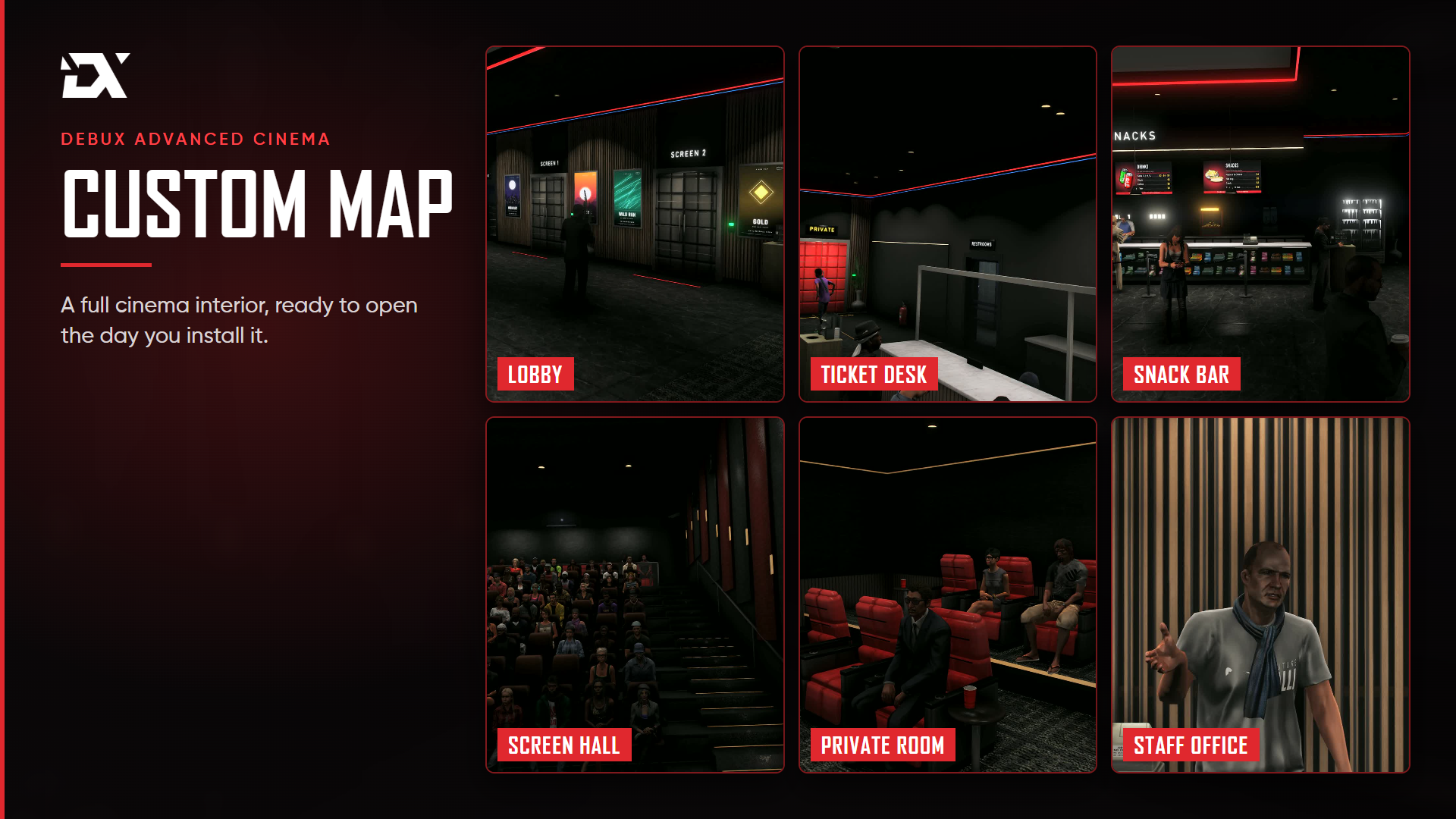
- Ready-to-use cinema map A complete custom cinema featuring a lobby, ticket desk, snack bar, management office, restrooms, main screening hall and private screening room.
- 100-seat screening hall 90 standard seats and 10 VIP seats located at the back of the hall.
- 3 independent screens The main hall operates as three separate screening experiences. Players watching different screens never see each other's movies.
- Realistic cinema atmosphere Interior weather stays clear and the time remains at night, keeping daylight and rain out of the cinema.
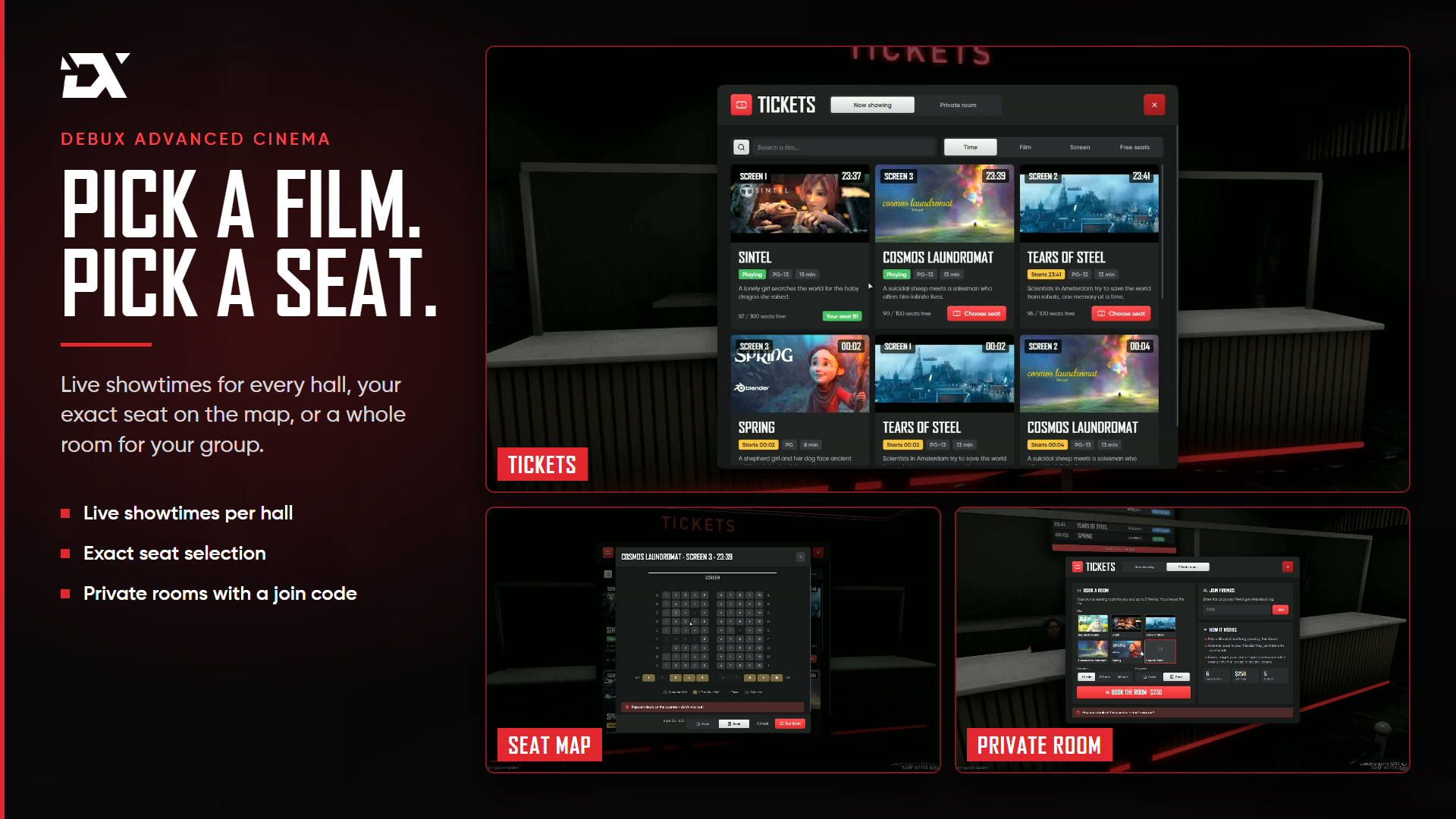
- Movie showtimes The ticket desk displays movie posters, screening times and remaining seats.
- Live lobby boards Players can see which screenings are on sale, filling up or completely sold out.
- Movie poster displays Wall-mounted poster boards showcase the movies currently playing at the cinema.
- Interactive seat selection Players choose their exact seat on the seating map before making a payment.
- Standard & VIP tickets Separate ticket prices for standard and VIP seating, with cash and bank payment options.
- Ticket-based access Each ticket grants access only to the screening room it was purchased for.
- Late ticket sales Tickets remain available for a limited time after a movie has started.
- Synchronized movie playback Everyone inside the screening room watches the same movie at exactly the same time.
- Automatic cinema lighting Lights dim when a movie starts and automatically turn back on when it ends.
- Screen management controls Authorized staff can play, pause and adjust the movie volume.
- Private screening room Players can rent a private room by the hour and invite friends using a booking code entered at the ticket desk.
- Private movie selection Choose a movie inside the private room and change it whenever needed.
- Automatic room management When the booking expires or the room becomes empty, all remaining players are returned to the lobby.
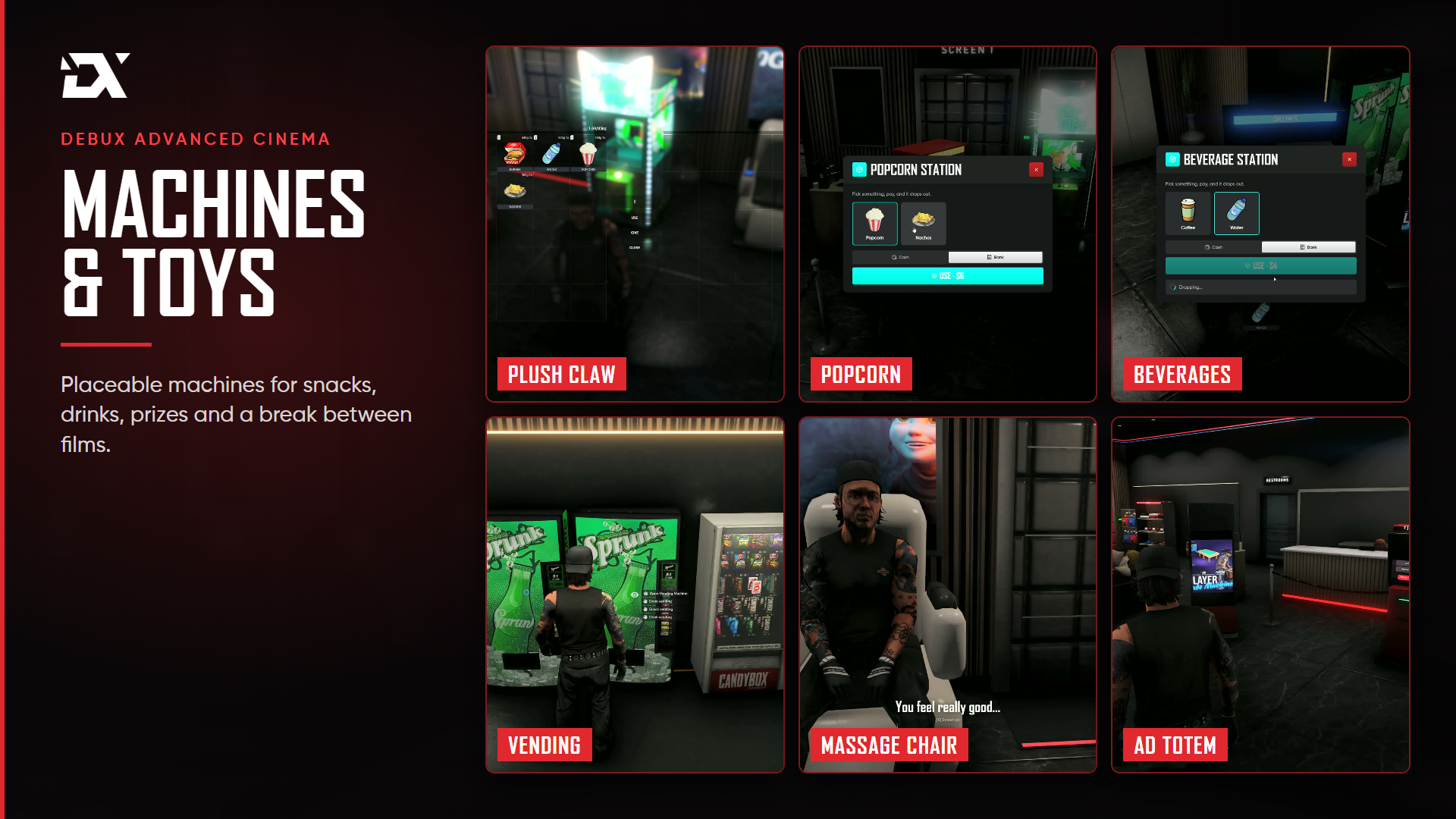
- Fully functional snack bar Players can order snacks using a shopping basket, with prices displayed on the boards and controlled from the management panel.
- Food and hunger system Popcorn and nachos are consumed bite by bite while sitting in a cinema seat, restoring hunger.
- Interactive cinema machines Purchase and place additional machines throughout the cinema, including a claw machine, capsule toy machine, snack and drink vending machines, popcorn station, beverage station, merchandise display, massage chair, ticket kiosk and advertising totem.
- Collectible plush toys Plush toys won from the claw machine or capsule machine can be picked up and carried by players.
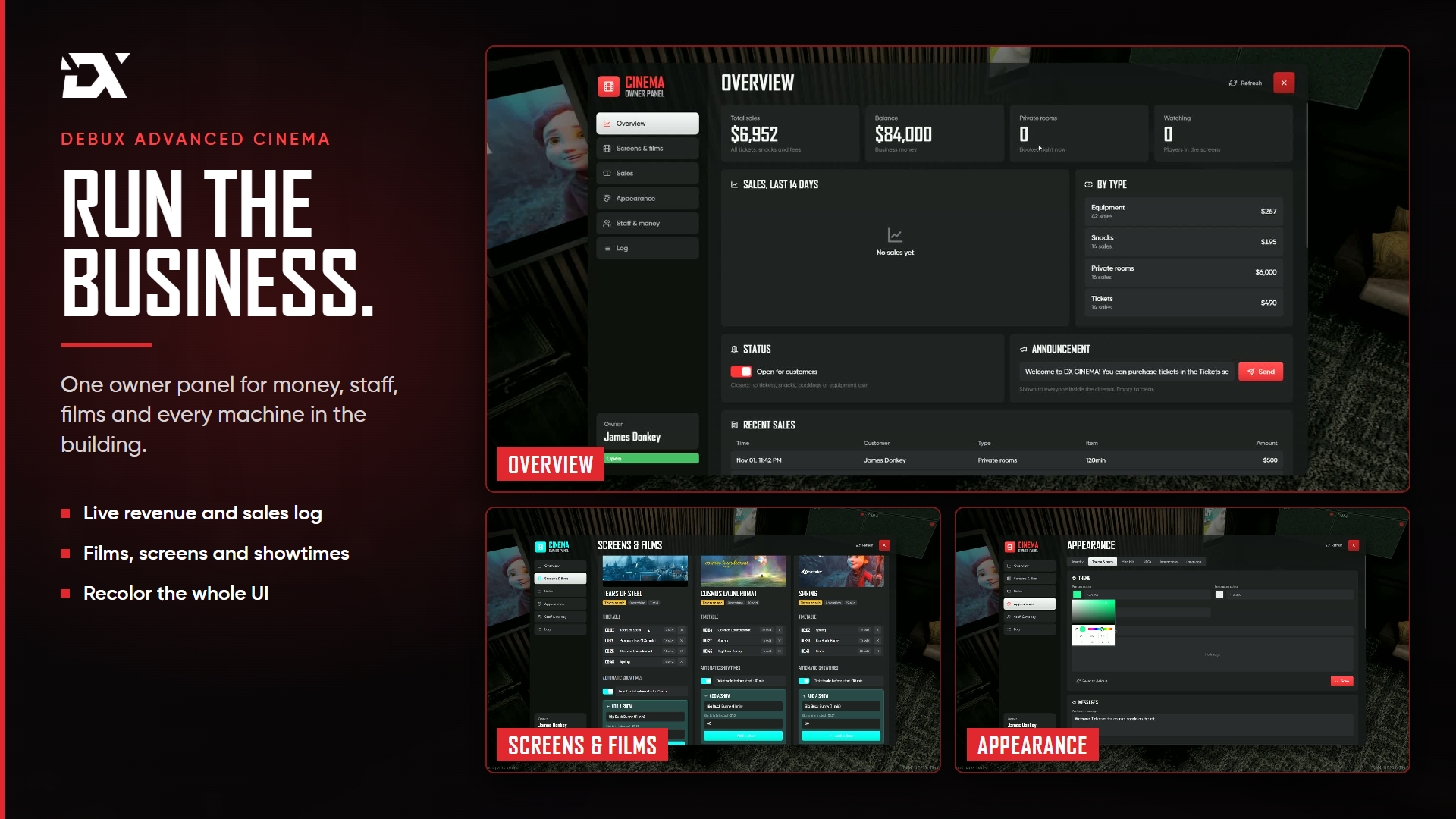
- Movie management Add movies, descriptions and age ratings, then configure which screen plays each movie and when.
- Complete business management Control ticket prices, VIP prices, private room rentals, snack prices, machine prices, opening hours, business status and cinema announcements.
- Business dashboard Monitor sales, cash register balance and the number of players currently inside each screening room.
- Owner-controlled finances Only the business owner can deposit or withdraw money from the cinema.
- Staff management Add and manage employees for the ticket desk, snack bar and screening rooms directly from the management panel.
Information
- 1. Enter the cinema: Walk into the cinema and explore the lobby, ticket desk and snack bar.
- 2. Browse the movies: Check the available movies, posters, showtimes and remaining seats.
- 3. Choose your seat: Select your preferred standard or VIP seat directly from the seating map.
- 4. Buy your ticket: Pay with cash or your bank account and receive access to the correct screening room.
- 5. Enjoy the movie: Take your seat, grab some popcorn and enjoy synchronized movie playback with everyone inside.
- 6. Book a private screening: Rent a private room, choose your movie and share the booking code with your friends.
- 7. Run your cinema: The owner manages movies, schedules, prices, machines, employees and business finances from the office dashboard.
Give your players a reason to spend time together outside their usual roleplay activities. From buying a movie ticket to running an entire cinema business, every part of the experience is in their hands.
Requirements
- FiveM server
Links
- Visa
- Mastercard
- PayPal
- Apple Pay
- Google Pay